
Gotify Tray
A tray notification application for receiving messages from a Gotify server.
Download
or, install via pip:
$ pip install gotify-tray
Features
- Receive gotify messages in the native notification area.
- Reconnect after wake from sleep or losing network connection.
- Disable notification banners for low priority messages.
- Manually delete received messages.
- Go through a history of all previously received messages.
- Receive missed messages after losing network connection.
Images
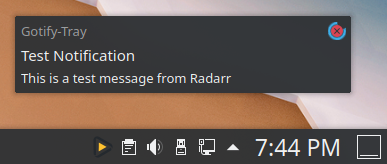
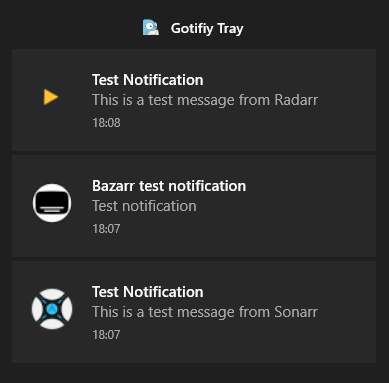
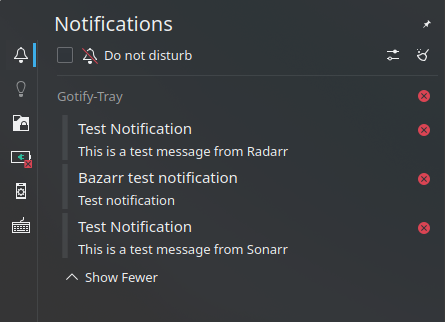
Notification banners
| Windows 10 | KDE | MacOS 12 |
|---|---|---|
 |
 |
 |
 |
 |
Main window

Settings window

Manual Installation
Get the source and install the requirements:
$ git clone https://github.com/seird/gotify-tray.git
$ cd gotify-tray
$ pip install -r requirements.txt
Run from source
$ python -m gotify_tray
Create a pyinstaller executable
$ pip install pyinstaller
$ pyinstaller gotify-tray.spec
An executable is created at dist/gotify-tray/.
Create a macos .app
$ pip install pyinstaller Pillow
$ pyinstaller gotify-tray-macos.spec
Inno setup (Windows)
Create an installer for windows with inno setup from pyinstaller output:
$ iscc gotify-tray.iss
Create and install a pip package
-
Create the pip package:
$ python -m build -
Install the pip package:
$ pip install dist/gotify_tray-0.1.12-py3-none-any.whl -
Launch:
$ gotify-tray
Create a deb package
$ make build

# or install

$ sudo make install
Requirements
- python >=3.8
- PyQt6
- requests
- websocket-client